
HIGHLIGHT Fan Con, tripleS World Tour: ANDLESS, and ONEWE's sixth live concert are among the K-pop performances scheduled in Seoul during September and October 2026. This guide explains how foreign visitors can find official K-Pop concert tickets in Korea, prepare an account, complete checkout, and follow the collection or entry instructions attached to each event.

Photo: Korea Tourism Organization.
K-Pop Concert Tickets in Korea: Start with the Event Notice
The artist, promoter, venue, and ticketing platform do not perform the same role. The event announcement identifies the authorized sales channel, while the ticketing platform processes the reservation under the conditions shown on that event page.
Begin with the artist's official channel, the promoter's announcement, or the venue's official event page. Follow the ticket link published there rather than assuming that every performance uses the same platform. A search result or repost can remain online after an organizer changes a schedule or sales arrangement.
Foreign visitors may encounter English-language services operated by NOL World, YES24 Ticket, Ticketlink, and Melon Ticket. Availability is event-specific: the existence of an English platform does not mean that every listing on its Korean service is offered through the global version.
- NOL World: Official English site
- YES24 Ticket: Official English ticket site
- Ticketlink: Official global site
- Melon Ticket: Official global site

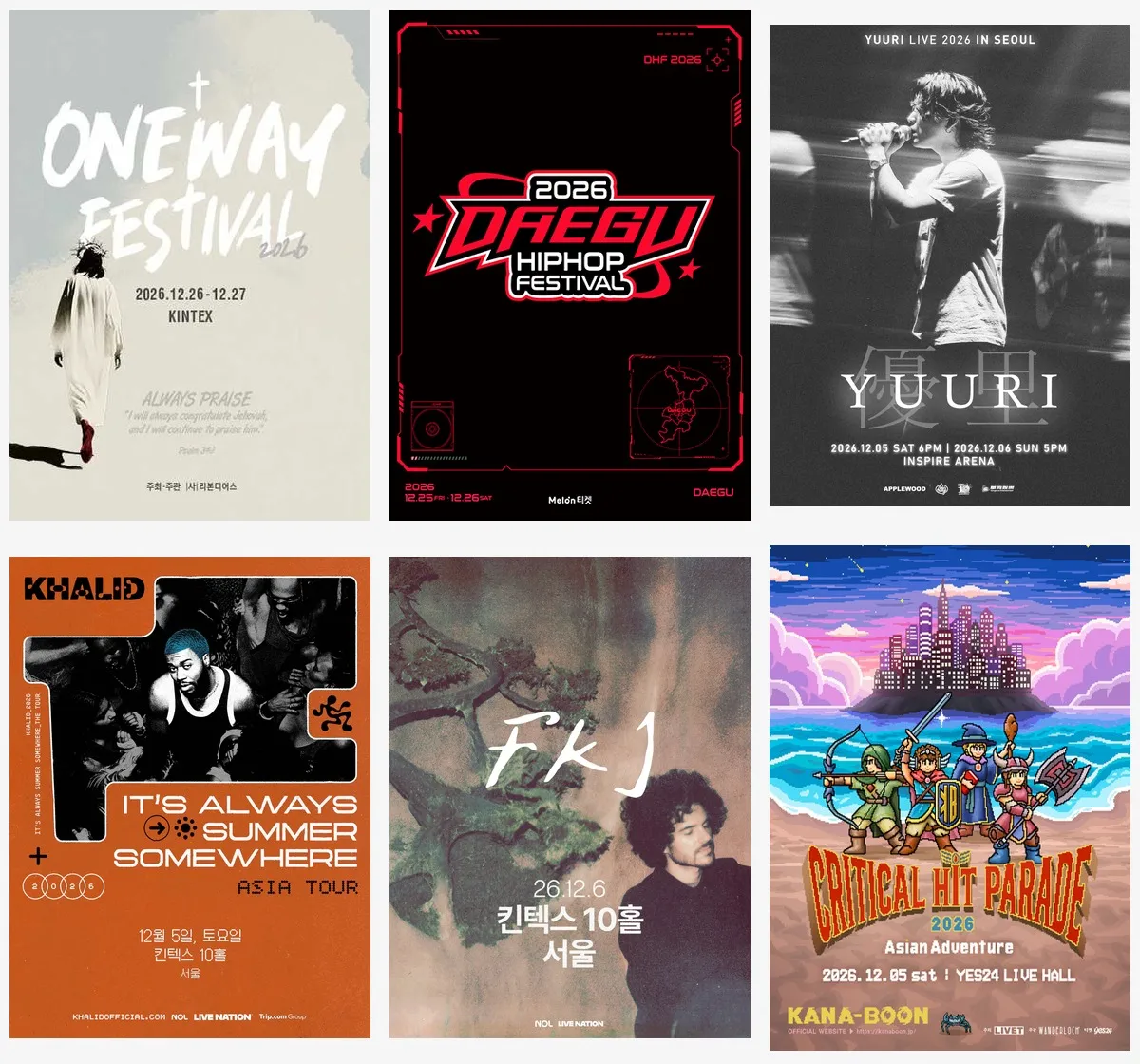
Poster: KOPIS (Official). Event information and sales conditions may change.
What to Check Before Ticket Sales Open
Read the complete event notice before creating a reservation plan. The useful fields are the sale date and displayed time, performance date, session, venue, ticketing platform, purchase limit, age rule, delivery method, collection rule, cancellation terms, and identity-check requirement. Omit assumptions when the notice does not state a condition.
Create the Correct Platform Account
Register on the exact service linked by the organizer. Confirm the spelling of the account holder's name before payment, particularly when the notice states that the purchaser's identification will be checked. A nickname, shortened name, or different person's account can create a problem when a ticket is restricted to the named purchaser.
Complete the email, telephone, and other verification fields required by that platform. Keep access to the registered email account and record the login method used. Some services separate their Korean and global systems, so an account on one version should not be assumed to work on the other.
Read the Payment and Cancellation Information
Payment methods are platform-specific and can change. The current YES24 English purchase guide states that its checkout accepts eligible credit cards and PayPal, while excluding certain card categories. Check the live payment screen and your card issuer rather than treating one platform's options as a rule for all services.
The same YES24 guide requires the buyer to review the cancellation fee and cancellation period before payment. This is an important general checkpoint even when another platform is used: read the terms attached to the selected performance before confirming the order.

Poster: KOPIS (Official). Use the organizer's current notice for ticket sales.
How the Online Booking Process Works
The exact interface varies, but the official YES24 English purchase guide documents a sequence that covers the main decisions: select the performance date and time, select seats or ticket quantity, choose an available discount, choose the delivery or collection method, and complete payment.
1. Select the Exact Performance
Confirm the city, venue, date, and session before choosing a seat. Tours can use similar artwork and titles for several cities, while multi-day concerts can have separate reservations for each performance. Check the final order summary again before payment.
2. Choose Seats or Quantity
If an interactive seat map is provided, the seat becomes part of the reservation only after the system confirms the selection. If the event uses general admission or does not require seat selection, the platform may ask for a quantity instead. Follow the event page rather than expecting the same process for every concert.
3. Use Only a Discount You Can Prove
A platform may display event-specific discounts, but the reservation page determines whether any discount is available. Do not select a category unless you meet its conditions and can provide the evidence requested by the organizer or box office.
4. Confirm Delivery or Collection
YES24's English guide distinguishes will call from overseas delivery and directs buyers to enter accurate information for ticket collection or shipment. Other events may use a different method, including mobile admission. The method shown on the individual booking page controls what you must bring and where the ticket is issued.
5. Save the Reservation Record
After payment, check the order in the platform's account area and retain the confirmation details. YES24 directs users to My Ticket and provides a printable purchase record for box-office collection. Do not publish an order number, barcode, QR code, or other admission credential on social media.

Poster: KOPIS (Official). Verify the current platform and event notice before purchase.
After Booking: Collection, Changes, and Entry
Identity procedures are determined by the event notice and the selected delivery method. If the notice requires the purchaser to collect the ticket, use the same name and personal details requested during booking. Bring the identification document specified in the notice; for an overseas visitor, that may be a passport when the organizer explicitly requires it.
Do not assume that a reservation can be transferred to a companion. Some events check the purchaser, restrict proxy collection, or apply separate rules to fan-club presales. The current event notice takes priority over general advice, screenshots from older tours, and instructions shared by another buyer.
For will call, confirm the box-office location and operating period from the official notice. A venue complex may contain several halls and collection points. For delivered tickets, verify the shipment address and tracking instructions shown by the ticketing service. For mobile admission, use the ticket format and app specified by the organizer.

Poster: KOPIS (Official). Entry requirements remain subject to the official event notice.
Cancellation, Changes, and Unofficial Resale
Check the cancellation deadline, fee schedule, refund method, and any non-refundable charge before paying. A performance cancellation, a personal change of plan, and a missed collection deadline can be handled differently. Use the ticketing platform's order page or customer-service channel for the reservation concerned.
If the organizer changes the date or venue, follow the instructions sent through the official platform and the organizer's verified channels. Do not rely on a third-party summary for the applicable refund procedure.
An unofficial resale listing does not establish that the ticket can be transferred or collected by another person. When an event requires purchaser identification, a ticket bought under a different name may not satisfy the entry conditions. The safest route is the sales channel named in the official event announcement or an official resale system when the organizer specifically provides one.

Poster: KOPIS (Official). Check the current organizer notice for sales and entry rules.
Concert-Day Checklist
Reopen the official notice before leaving for the venue. Confirm the performance date, starting time, hall name, admission method, collection point, identity requirement, age restriction, and prohibited-item policy. Use the latest notice if it differs from an earlier screenshot.
- Reservation: confirmation page or the platform's required mobile ticket
- Identification: the document specified by the event notice
- Venue: exact complex, hall, gate, and collection point
- Session: correct date and performance time
- Event rules: age, bag, photography, recording, and admission conditions stated by the organizer
For venue orientation, TripKorea's K-Pop Concert Venues in Seoul guide separates the city's principal concert areas and halls. Visitors combining a concert with other activities can also review Things to Do in Seoul.

Poster: KOPIS (Official). The ticket platform and entry conditions are event-specific.
Frequently Asked Questions
Where can international visitors buy K-pop concert tickets?
Use the ticket link published by the artist, promoter, venue, or other official event channel. NOL World, YES24 Ticket, Ticketlink, and Melon Ticket operate global or English-facing services, but each event determines its authorized platform and availability.
Do I need a Korean phone number to book a concert?
There is no single rule for every platform or event. Use the registration fields and verification method shown by the authorized global service. Do not enter another person's number unless the platform's terms permit it.
Do I need my passport at the concert venue?
Bring the identification document specified in the event notice. If passport identification is required for foreign purchasers, the name used for booking should follow the instructions on that notice. Requirements can differ between general sales, fan-club presales, and ticket collection.
Can another person collect my ticket?
Only when the event's collection and transfer rules allow it. A will-call ticket may require the purchaser's reservation record and identification. Check the individual event notice before using another person's account or buying a resale ticket.
Are K-pop concert tickets refundable?
Refund eligibility depends on the platform's cancellation period, fee schedule, payment method, and event conditions. Review those terms before payment and use the customer-service route attached to the reservation if a cancellation is required.
Plan a K-Pop Concert Visit
Current K-Pop Concerts in Seoul
For each reservation, the official event notice and the authorized ticket page remain the controlling references. Recheck both before payment and again before departure when arranging K-Pop concert tickets in Korea.
Sources & References
Official ticket services:
- NOL World
- YES24 Ticket English and YES24 Purchase Guide
- Ticketlink Global
- Melon Ticket Global and Melon Ticket Purchase Guide
Performance and image references:
- Current concert listings and official posters: KOPIS (Korea Performing Arts Box Office Information System)
- HiKR Ground photograph: Korea Tourism Organization Photo Gallery
Last verified: September 9, 2026
Ticket sale dates, platform availability, payment methods, collection procedures, and entry conditions are subject to change. Always verify the individual event notice and authorized ticket page.