
Korea tourist SIM setup starts with a removable card, but getting online and enabling calls are separate steps. This guide takes you from reservation to airport collection, installation and top-up, using KT’s tourist SIM service as a documented example rather than a rule for every Korean provider.
If you have not chosen a connection type, start with the Korea SIM card and eSIM comparison. The steps below are for a physical SIM, not an eSIM QR code or a rented WiFi router.
1. Plan Your Korea Tourist SIM Setup
Confirm the phone you will actually bring
Before paying, check that your phone is carrier-unlocked, has a physical SIM tray and supports the provider’s network. KT specifically warns that its service does not work with every device model or frequency band. Ask your home carrier about unlocking and give the SIM provider the exact model, including its regional version.
A recent model name alone is not enough. Apple’s physical-SIM instructions explain that iPhones without a SIM tray use eSIM only. Check the actual handset rather than assuming that every iPhone or Android phone accepts a removable card.
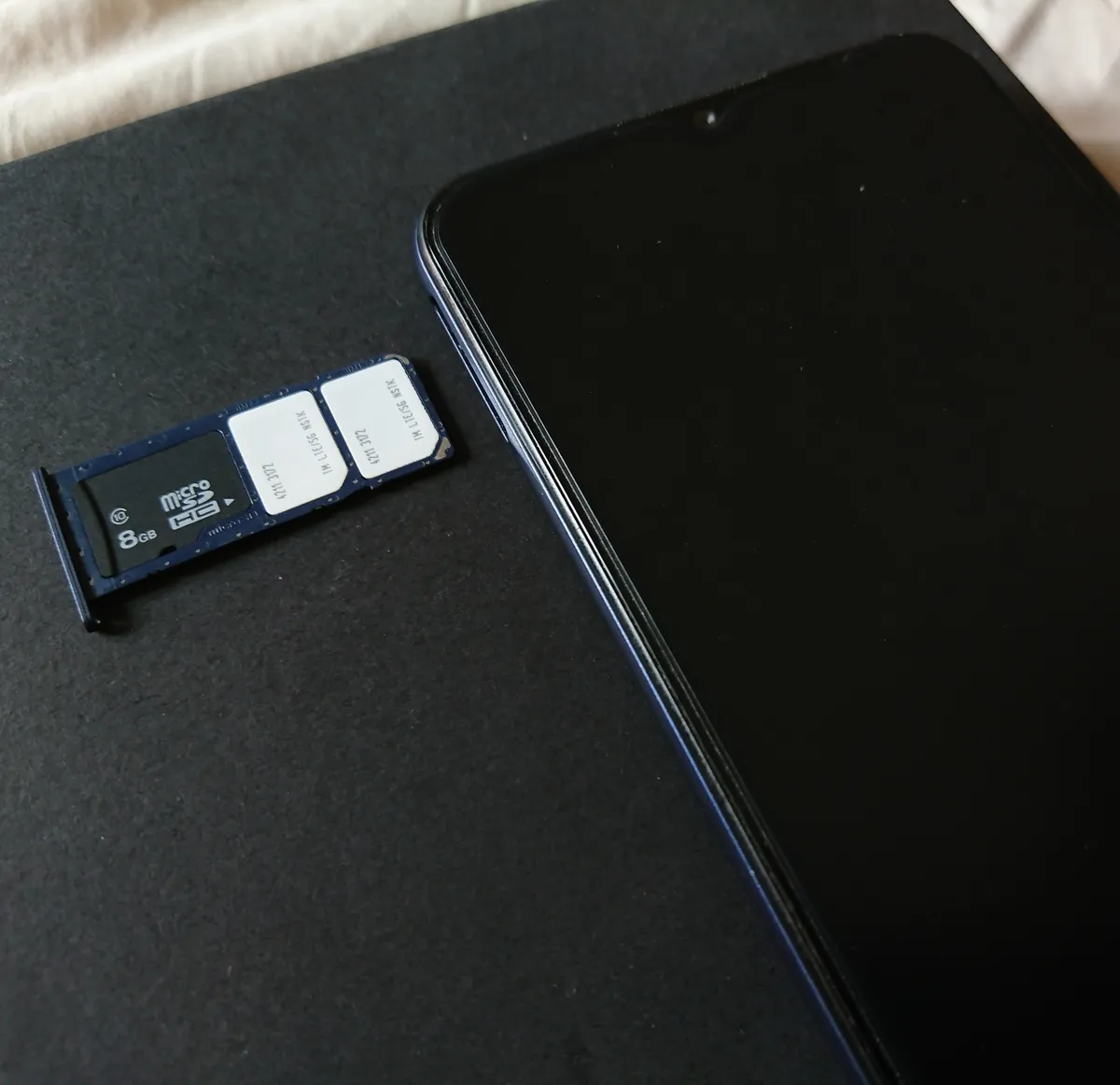
The phone photograph illustrates a removable tray, not guaranteed KT compatibility. Once those checks are complete, choose a period that covers your arrival through your last day of use, including the journey back to the airport.
Choose the period, product and pickup details
On KT’s SIM reservation page, select the usage period first; the corresponding products then appear. Review whether you are buying data or a package with voice credit, rather than deciding from the presence of a Korean number alone. KT’s physical tourist SIM numbers begin with 010, but call and SMS access requires an additional entry check.
The reservation form has separate pickup-date, center and time fields. Its choices include Incheon Terminal 1, Incheon Terminal 2, Gimpo and Gimhae. Match the airport and terminal to your arriving flight and allow for reaching the counter after arrival processing; landing time is not collection time.
Enter the pickup person’s given and family names in capital letters exactly as shown in their passport, plus an email address they can access. Review the period, product, pickup arrangements and total before payment. KT does not accept credit or debit cards issued in Korea for this service; that is a KT condition, not a general rule for Korean SIM sellers.

Keep the reservation and payment confirmation available offline. KT also requires the SIM to be used within 90 days of purchase or it expires without refund, so do not buy far ahead without checking that window. The planner photograph is illustrative preparation, not a current booking calendar.
2. Collect the SIM and Complete the Entry Check
KT’s published sequence is advance reservation and payment, a visit to its roaming center at the arrival airport, then collection after identification. Bring your passport; KT also lists an alien registration certificate as an accepted identity document. Use the provider and collection point named in your reservation, not simply the first telecom desk you see.
For Incheon, the KT counter directory currently lists first-floor arrival-area desks at T1 opposite Exit 2, near Arrival Hall A, open 06:00–22:00; T1 opposite Exit 13, near Arrival Hall F, open 24 hours; and T2 opposite Exit 4, near Arrival Hall A, open 24 hours. Recheck your selected desk before travel because locations and hours can change.
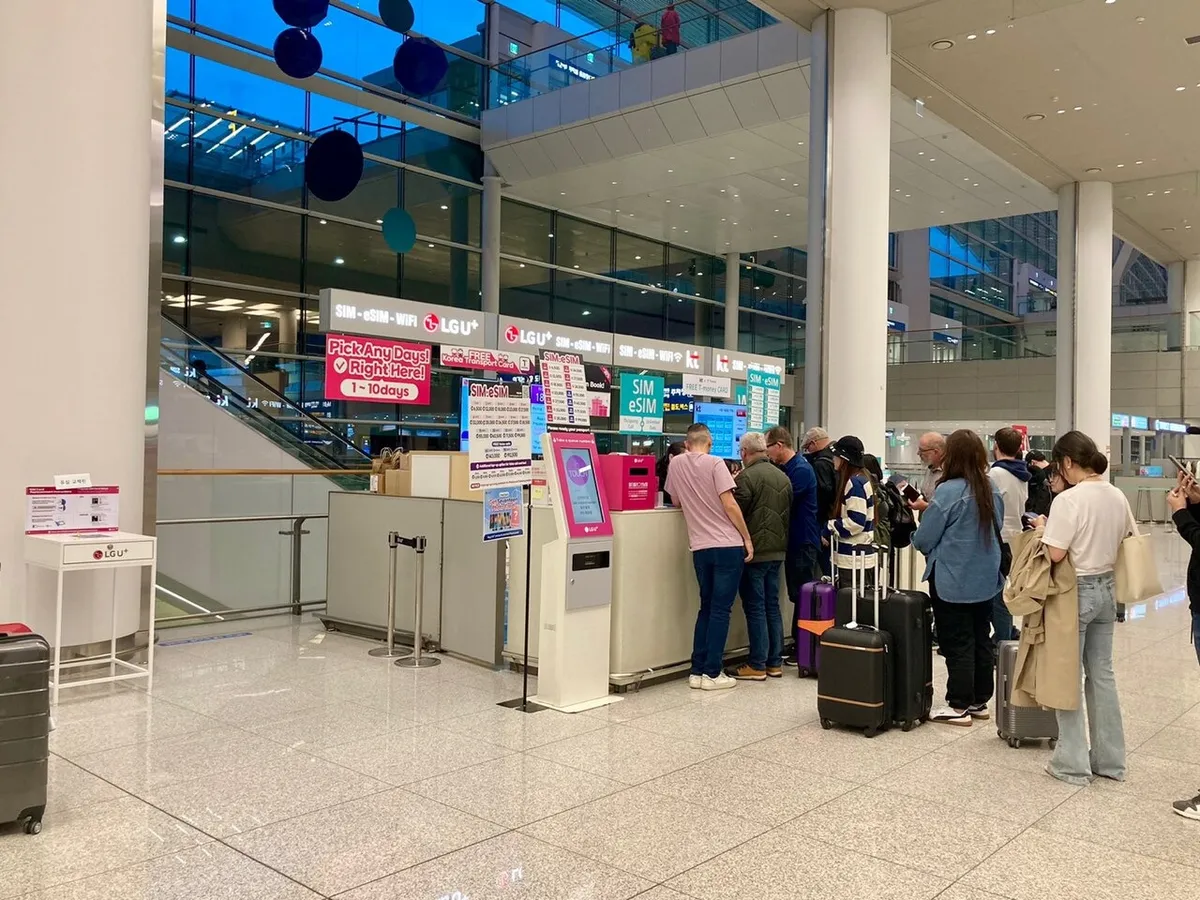
This 2024 photograph shows an LG U+ counter at Incheon T2, not a KT collection desk. Its displayed plans, promotions and counter arrangement are historical; use your own provider’s current booking instructions.
Ask for voice and SMS verification at pickup
For this KT product, mobile data and voice/SMS eligibility are distinct. KT’s current product page directs customers to complete “Identity Verification (Entry Check)” at an airport KT roaming center before using incoming or outgoing voice and SMS. Ask staff to confirm completion while you are collecting the card, especially if receiving texts or making local calls is part of your plan.
After that check, KT lists domestic incoming calls and texts as free. Outgoing calls and texts need the applicable voice credit or top-up. Entry verification is limited to one contract number per passport, so a family should not assume that one person’s check enables voice services on several separate contracts.
A Korean number is not the same as personal identity authentication. KT explicitly says this tourist SIM does not support personal authentication. Receiving an ordinary SMS therefore does not establish eligibility for a service that verifies a Korean subscriber’s identity. Equally, that restriction does not mean every ordinary text message or every app registration is unavailable.
3. Install the Physical SIM and Check Data
Fit the card using your device’s instructions
KT’s physical-SIM instructions begin by powering off the phone and inserting the card. Use the instructions for your exact handset to find its tray and fit the supplied card; tray position and card arrangement differ between models. Keep the removed home SIM in a secure holder rather than loose in a pocket.
For an iPhone with a tray, Apple instructs you to insert a SIM-eject tool or paper clip into the hole beside it, push inward and not force it. Place the replacement SIM into the tray with its notched corner aligned, then reinsert the tray completely in the same orientation. If the tray will not eject, Apple directs you to a carrier or Apple Store for help. Do not apply an iPhone tray procedure to a different phone without checking its manufacturer’s instructions.
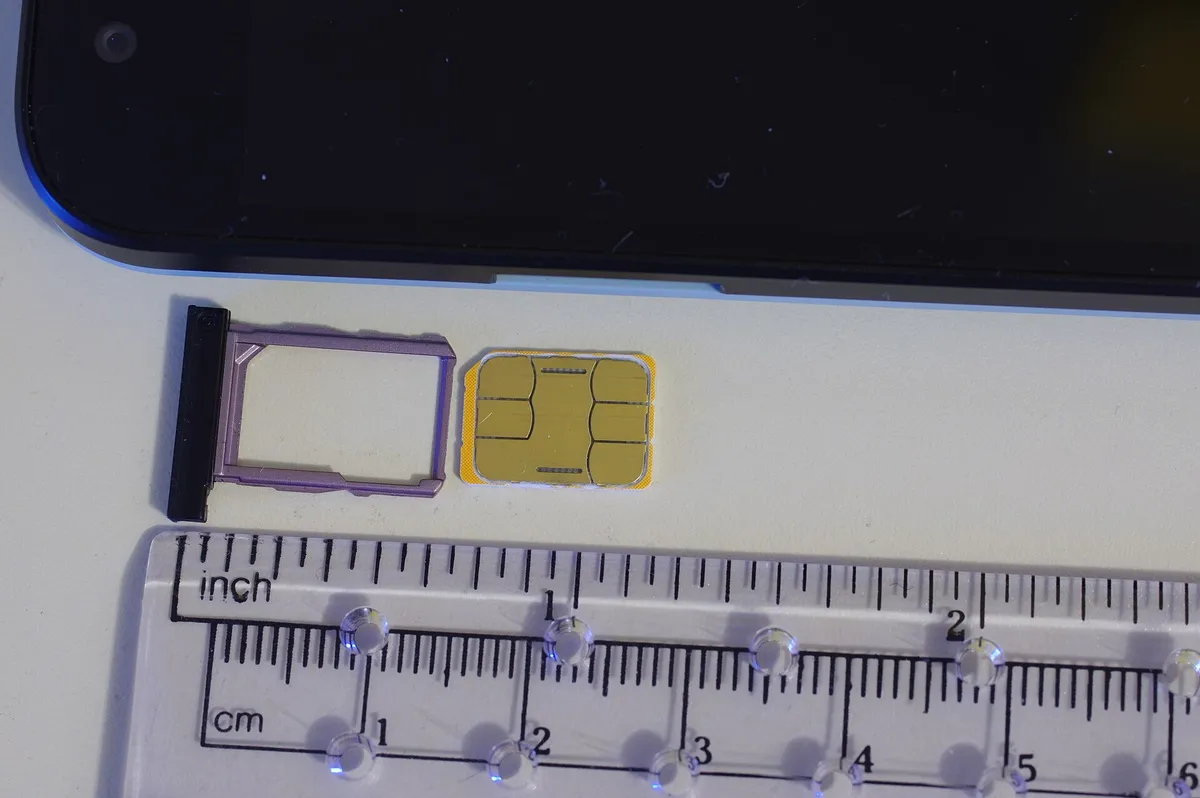
The photographed card and tray are from a Nexus 5X; they illustrate removable hardware, not the orientation for every phone. A physical card does not use the eSIM QR-scanning process. Do not start adding a digital plan instead of fitting the card you collected.
Check the cellular connection before leaving
Power the phone on, turn off airplane mode and WiFi, and turn on mobile data, following KT’s setup guide. Its instructions call for turning the phone off and on twice or more and checking that “KT” appears as the carrier. Its cautions say recognition can require additional restarts depending on the device; this is not a universal five-restart rule for all SIMs.
With WiFi still off, try loading a web page to check mobile data rather than mistaking the airport’s WiFi connection for a working SIM. If you use a phone with more than one active line, confirm that the tourist SIM is the line selected for mobile data using your device’s own settings.
The blank-screen photograph is illustrative, not a successful connection display. If the phone reports no SIM, recheck the card’s placement using the handset instructions. If it shows KT but data still fails, use KT’s linked guidance or ask the counter for help with that phone; do not delete configuration profiles or copy another provider’s network settings as a routine setup step. Confirm any needed voice/SMS service separately from the data test.
4. Extend the Period or Top Up Voice Credit
An extension buys more service time; a voice top-up adds outgoing-call or text credit. They solve different problems. KT says data can continue during the SIM’s valid period even when the charged voice balance has run out. Adding voice money does not by itself establish a new data expiry date.
Keep the contract number with the phone number and confirmed service end time. KT’s user guide says the contract number is on the printed contract or received text. Before the product expires, use its SIM extension route or the voice top-up option on the SIM site. Follow the identity and email checks requested for your contract rather than entering another traveler’s details.
KT’s published sequence is to enter the contract number, select the phone number, choose an extension period or top-up amount, pay and complete the request. Check the correct number and purchase type before committing payment, then retain the confirmation. The listed extension periods are 5, 10, 20 or 30 days; available voice top-ups range from KRW 5,500 to KRW 55,000.

KT’s October 2026 user guide says no further extension or top-up is permitted after the product’s due date. Its current product page caps the combined original period and extensions at 90 days from initial activation. Extension and voice top-up payments are non-refundable, so confirm the remaining validity before paying rather than treating extra credit as a way to revive an expired SIM.
5. Tourist SIM Setup FAQ
Does an unlocked phone always accept a Korean physical SIM?
No. It also needs a physical slot and compatible model and frequency bands. An eSIM-only handset cannot accept the removable card, even if unlocked.
Can I receive texts as soon as mobile data works?
Do not assume so for KT’s tourist SIM. Its current product page requires the airport entry check for voice and SMS. Ask staff to confirm it separately from your data connection.
Will a KT tourist SIM work for Korean identity authentication?
KT says this product does not support personal authentication. A working 010 number and ordinary SMS reception are not proof that a Korean identity-verification service will accept it. Check the account’s actual requirement instead of repeatedly buying more voice credit.
Should I extend the SIM or add voice credit?
Extend when you need more service days; top up when you need outgoing-call or text credit within the valid period. Complete either before expiry under KT’s stated conditions. Keep the contract, expiry and confirmation together to finish your Korea tourist SIM setup.
Sources & References
Provider evidence: KT tourist SIM plans, requirements and top-up sequence; KT reservation fields; KT airport counters and user-guide download; KT Korea SIM/eSIM User Guide, October 2026; KT physical-SIM setup. Device instructions: Apple: remove or switch a physical SIM.
Official tourism context: Korea Tourism Organization: Electricity & Communications. Last verified: November 17, 2026. KT conditions above apply to its documented tourist product; other providers and resellers can differ. Use your booking’s terms for its price, service start and expiry.
Image Credits
Hero: Subhrajyoti07 / CC BY-SA 4.0; Compatibility: Paowee / CC BY-SA 4.0; Booking: Thought Catalog / Unsplash License; Pickup: Narubaru7 / CC BY 4.0; Installation: BwDraco / CC BY-SA 3.0; Connection: Kelly Sikkema / Unsplash License; Payment: Volodymyr Hryshchenko / Unsplash License. Images resized and converted to WebP; photographs are representative hardware or preparation context, not KT-issued equipment, a live checkout or proof of service. The airport photograph was taken in 2024.